Open source Free for everyone, Apache-2.0

See what fills your disk and clear it safely

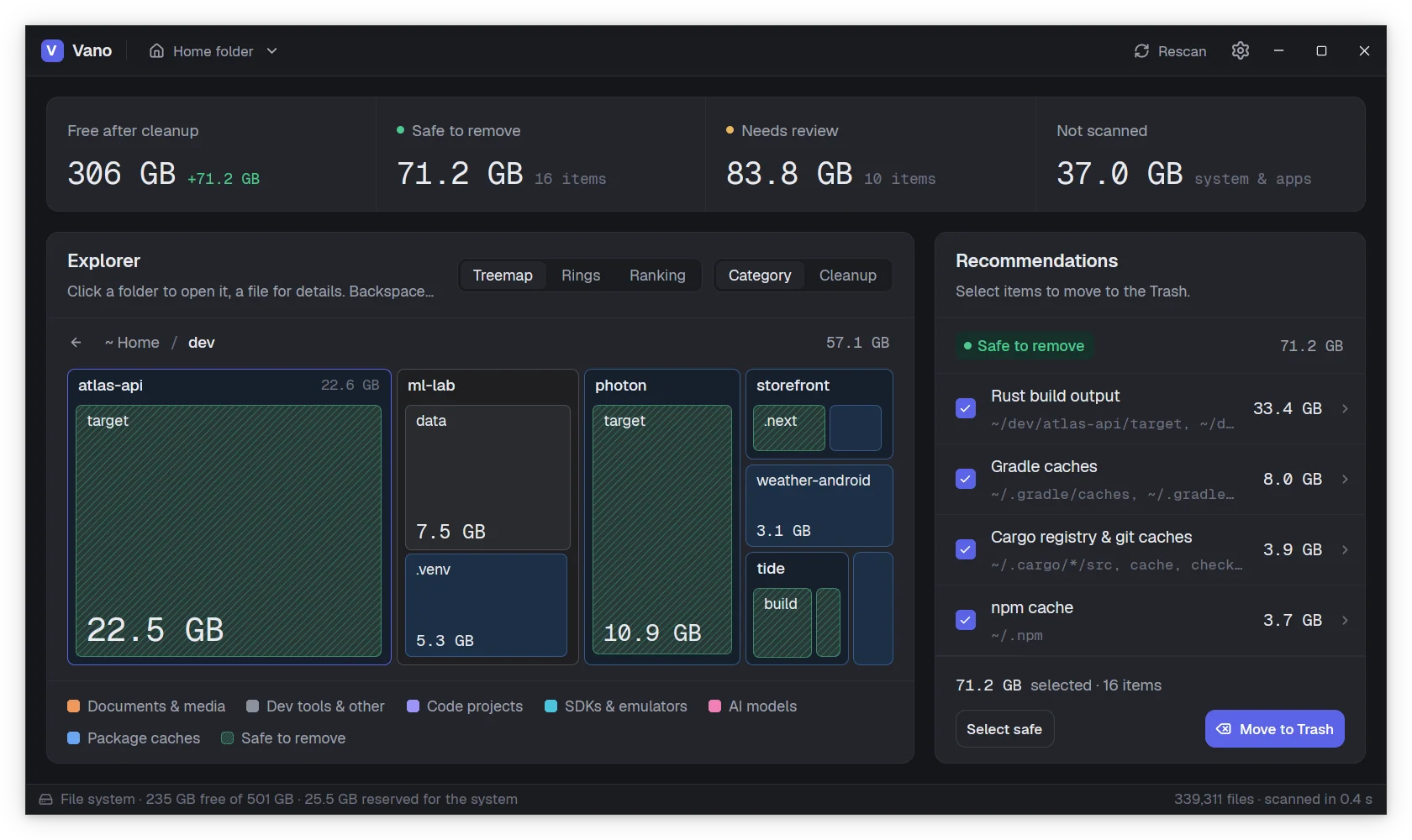
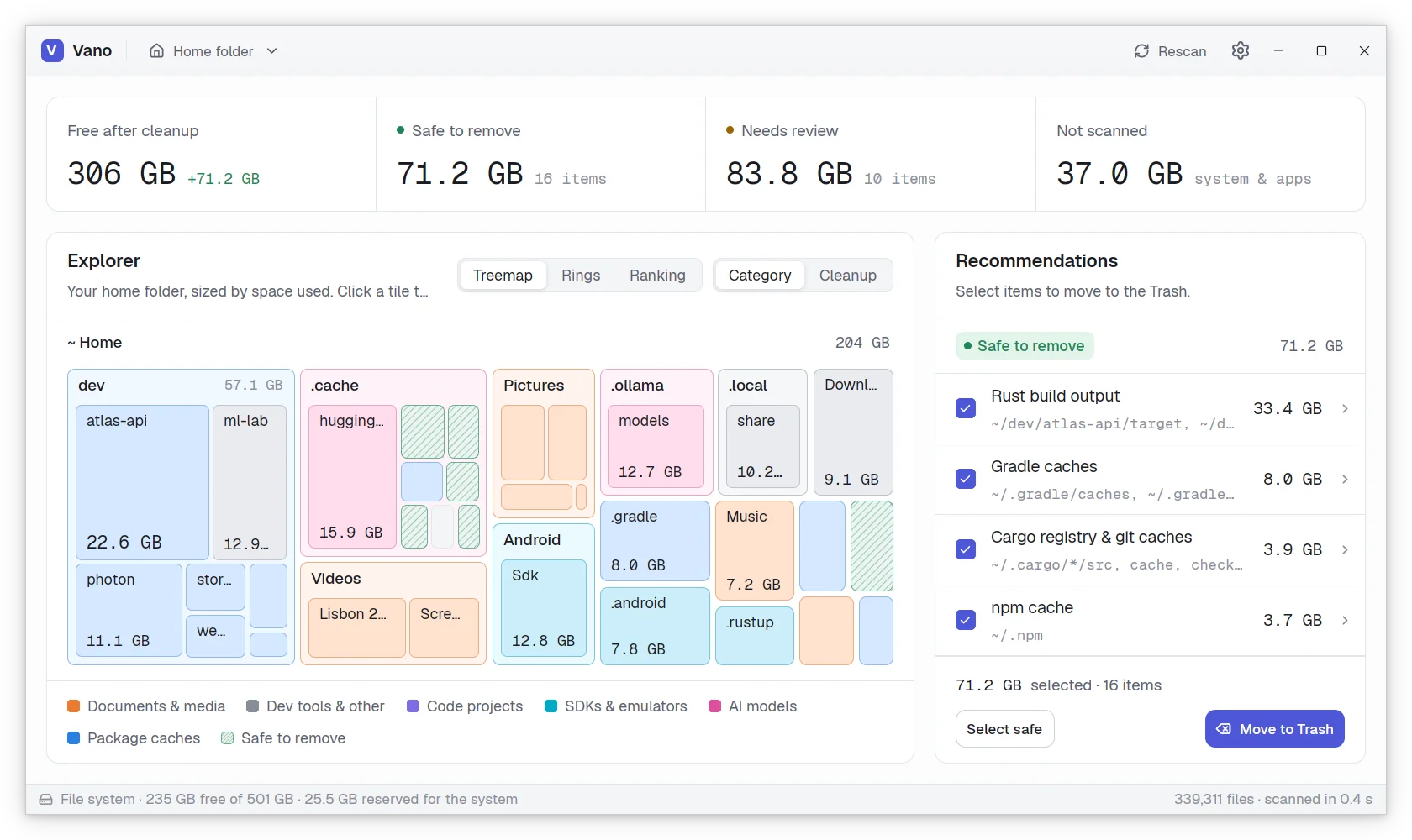
Vano is a light, native disk analyzer. It scans your home folder in a blink, shows where the space goes in a treemap you can zoom into, and tells you what can go and why. Nothing is deleted: it all goes to the Trash.

For Linux, Windows and macOS

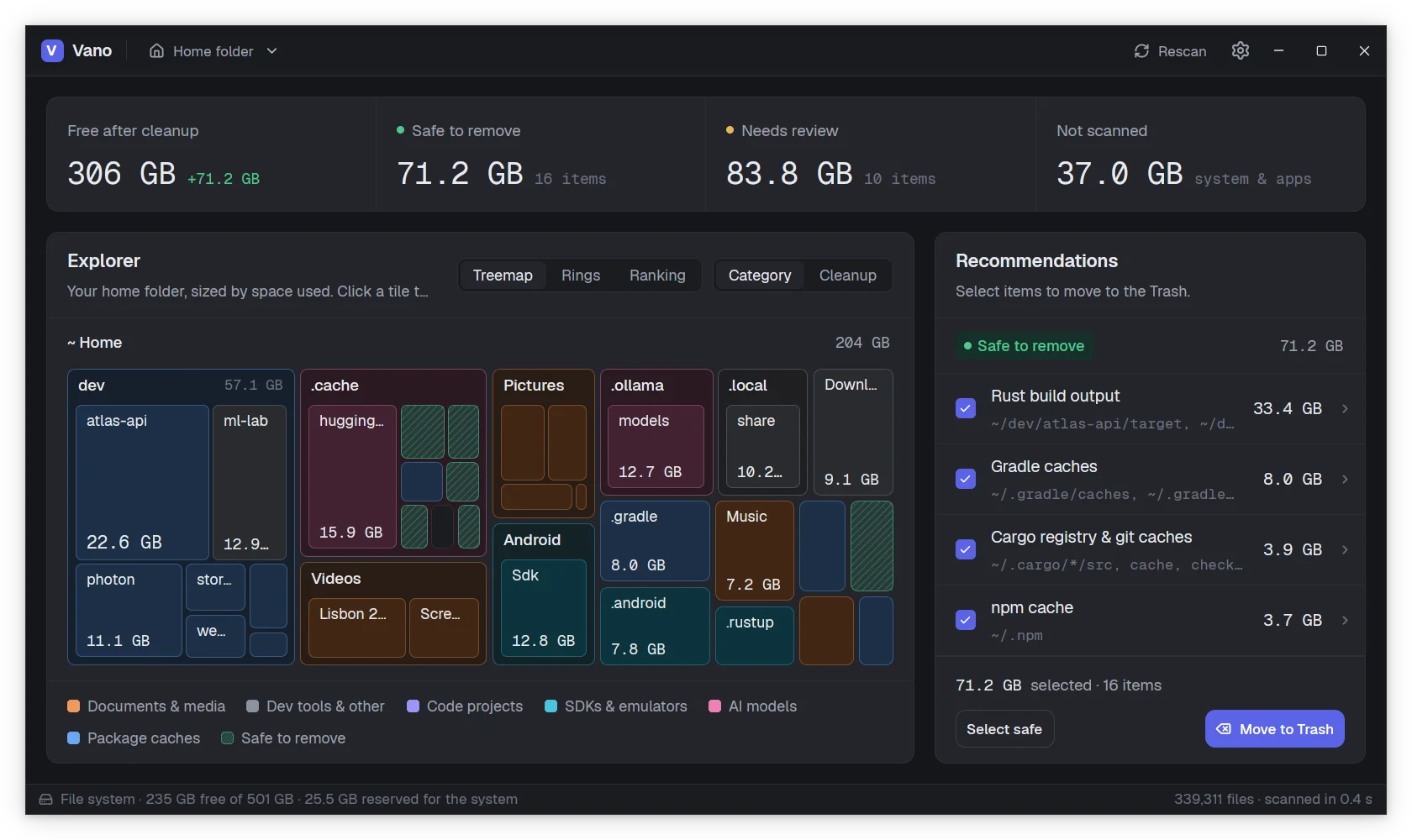
Vano's results for a home folder: the space freed after cleanup, a treemap of the folders colored by category, and the list of recommendations. Vano's results for a home folder: the space freed after cleanup, a treemap of the folders colored by category, and the list of recommendations.
  • Native, not a browserWritten in Rust on gpui, the GPU accelerated UI framework behind the Zed editor.
  • InstantEvery folder is read in parallel, so a home folder with hundreds of thousands of files takes a fraction of a second.
  • Nothing is deletedWhat you clean goes to the system Trash, and you can put it back.
  • Local firstNo sign in, no telemetry. Vano only reads file sizes on your machine.
Fast and light

Done before you notice it started

No web engine inside, no background service, no index to keep up to date. Vano reads the disk when you ask and then gets out of the way.

  • 0.4s

    To scan 780,000 files

    Work stealing threads read one folder each and a single thread builds the tree, about five times faster than du.

  • 60MB

    Of memory at rest

    Under 200 MB with those 780,000 files loaded: each file or folder costs 40 bytes in one flat array.

  • 0%

    CPU while you read

    An idle window runs no timers and draws no frames. Vano only works while something moves.

Measured on Linux with a home folder of 208 GB, warm file cache, release build.

Features

From a full disk to free space in a few clicks

Scan, look around, pick what goes. Every step shows you what it is about to do.

Zoom in, folder by folder

The treemap shows every folder sized by the space it takes, two levels at a time. Click one to grow it to the whole area, press Backspace to step back. Tiles spring to their new places, so you never lose track of where you are.

  • Colored by what fills it: code, caches, SDKs, AI models, media
  • Rings and a ranking of the biggest entries, for the same folder
  • Sizes are the real space on disk, with hard links counted once
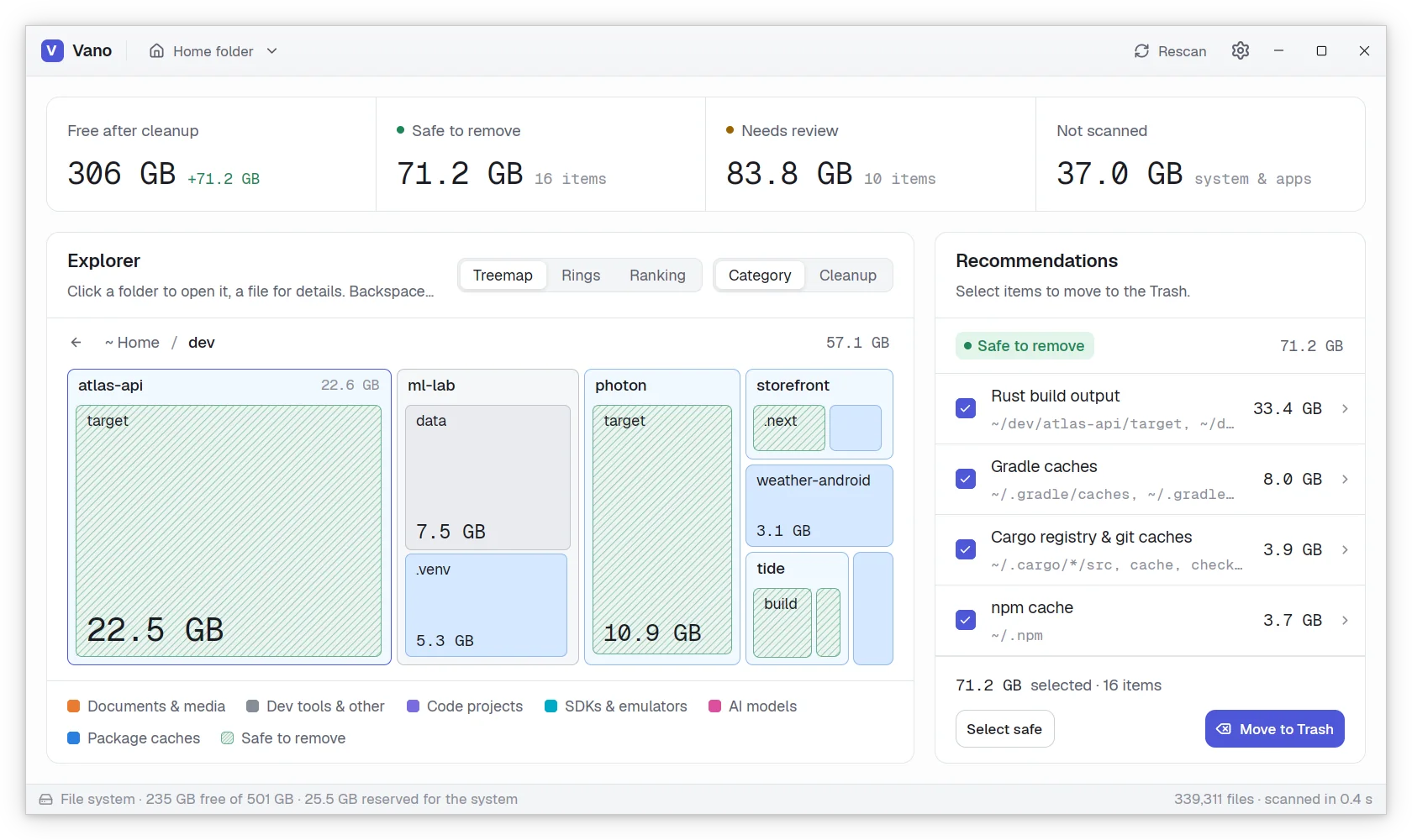
The explorer zoomed into the dev folder: Rust, Python, web, Android and Flutter projects, with their build outputs hatched as safe to remove. The explorer zoomed into the dev folder: Rust, Python, web, Android and Flutter projects, with their build outputs hatched as safe to remove.

Recommendations it can explain

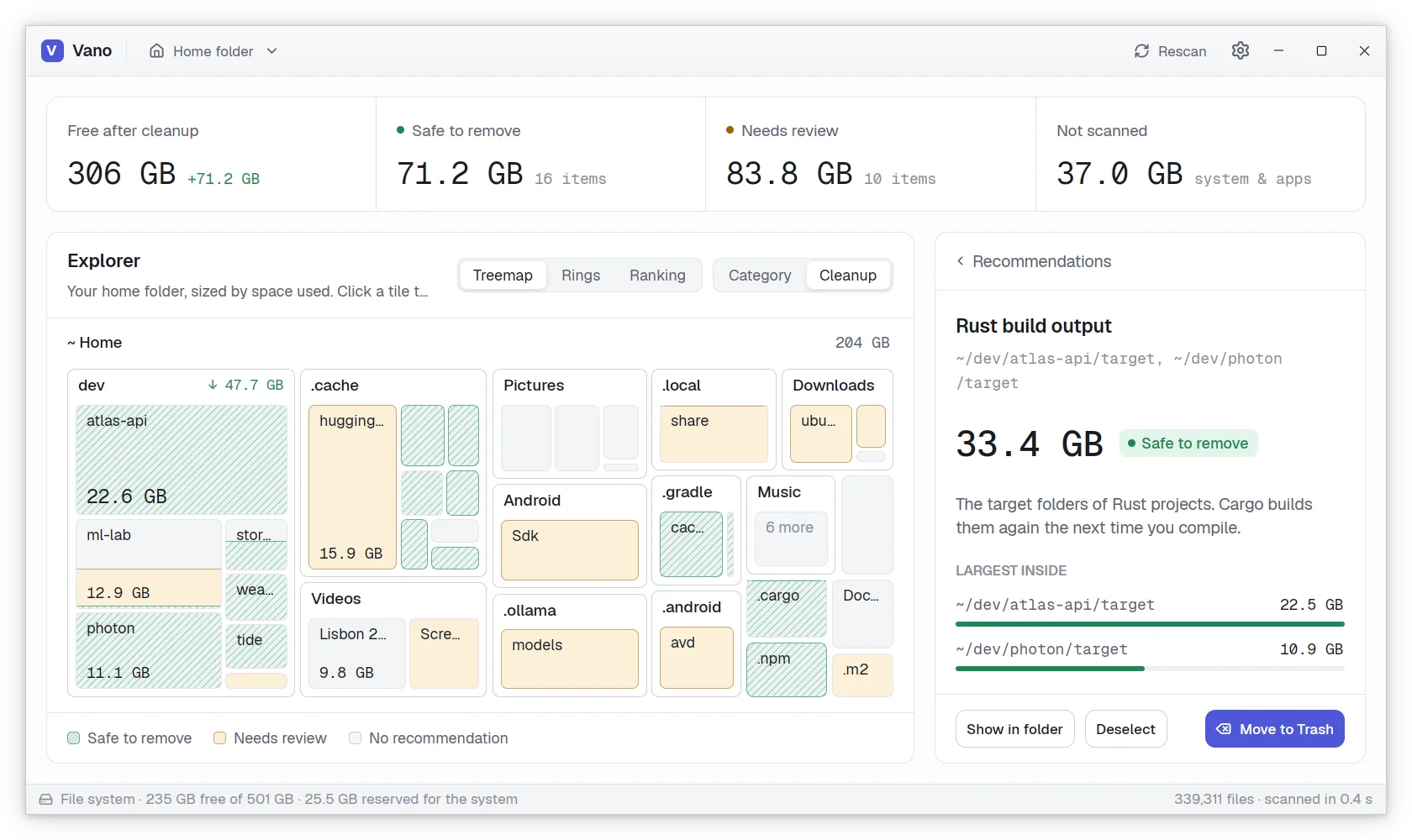
Vano knows where package managers, compilers, browsers and SDKs keep their data. What their tool rebuilds by itself is safe to remove. What you may still need, like SDKs, models or old installers, is marked review first, with the reason.

  • Each recommendation says what it is and lists the biggest folders inside
  • Cleanup coloring shows where the reclaimable space sits in the tree
  • Conservative by design: a build folder only counts next to the file that proves it
The treemap in Cleanup coloring, with safe items hatched in green and review items in amber, and the detail of the Rust build output recommendation. The treemap in Cleanup coloring, with safe items hatched in green and review items in amber, and the detail of the Rust build output recommendation.

To the Trash, never deleted

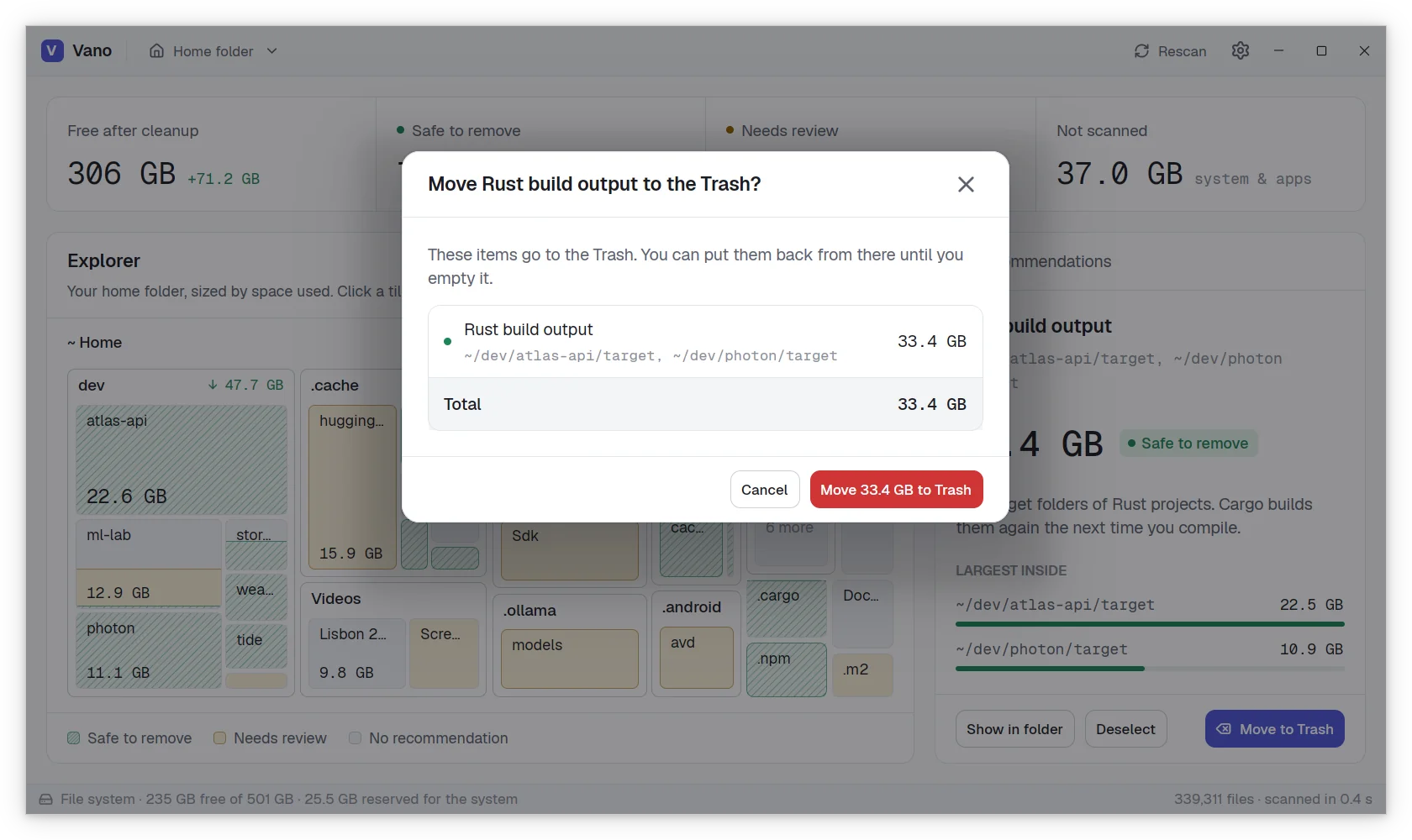
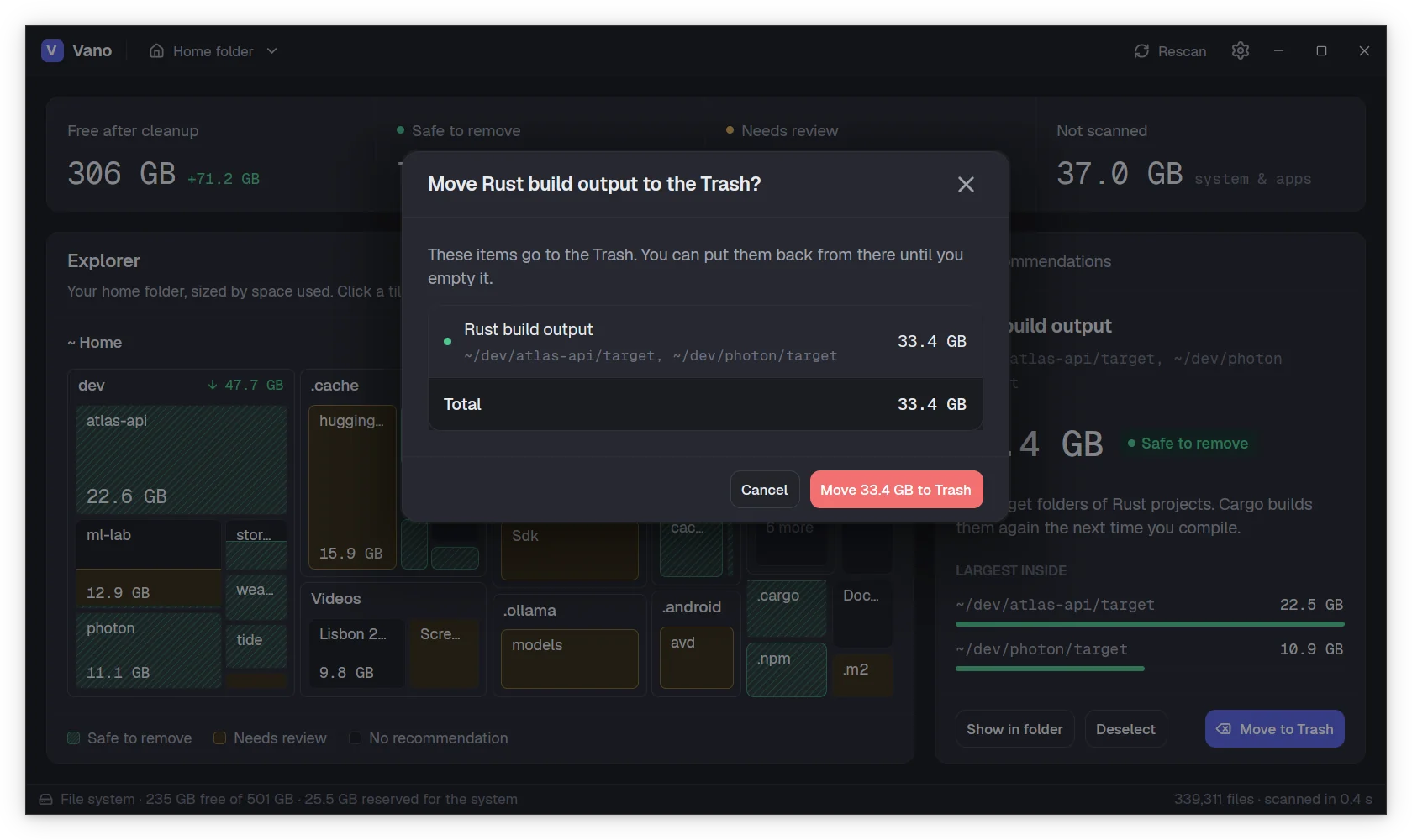
Select the recommendations you want, or any folder of the treemap, and confirm. Vano lists every item and the total before it moves anything, and moves it to the system Trash, where it stays until you empty it.

  • Undo right away from the notice that follows
  • A warning when a folder is not covered by any recommendation
  • The treemap and the totals update as soon as the items are gone
The confirmation to move the Rust build output, 33.4 GB, to the Trash. The confirmation to move the Rust build output, 33.4 GB, to the Trash.

The big picture at a glance

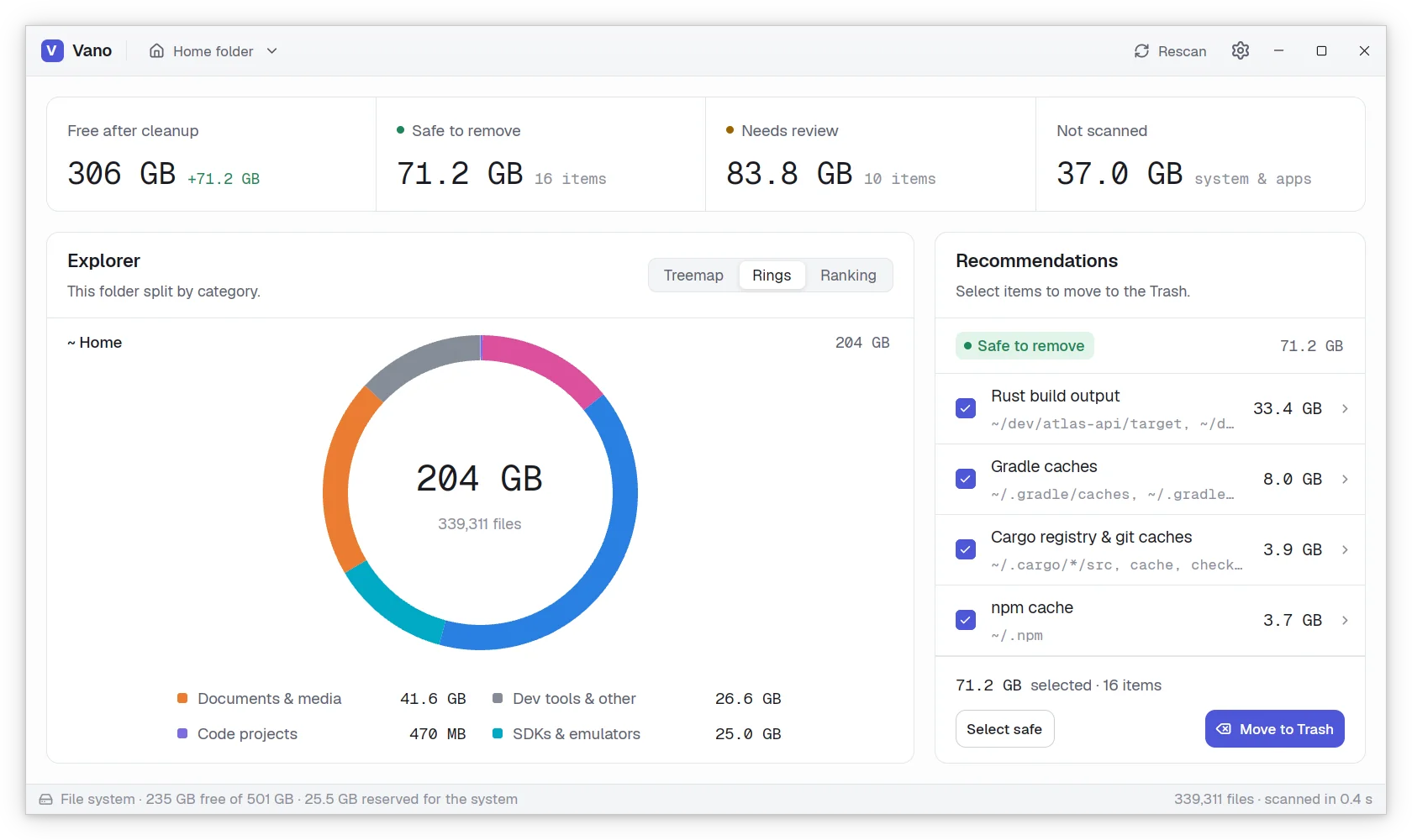
Switch the explorer to rings to see a folder split by category, or to a ranking of its largest entries. While a scan runs, the same views grow live as each folder is read.

The home folder as a ring split by category, with the size of each category in the legend. The home folder as a ring split by category, with the size of each category in the legend.

Your home, the whole disk or any folder

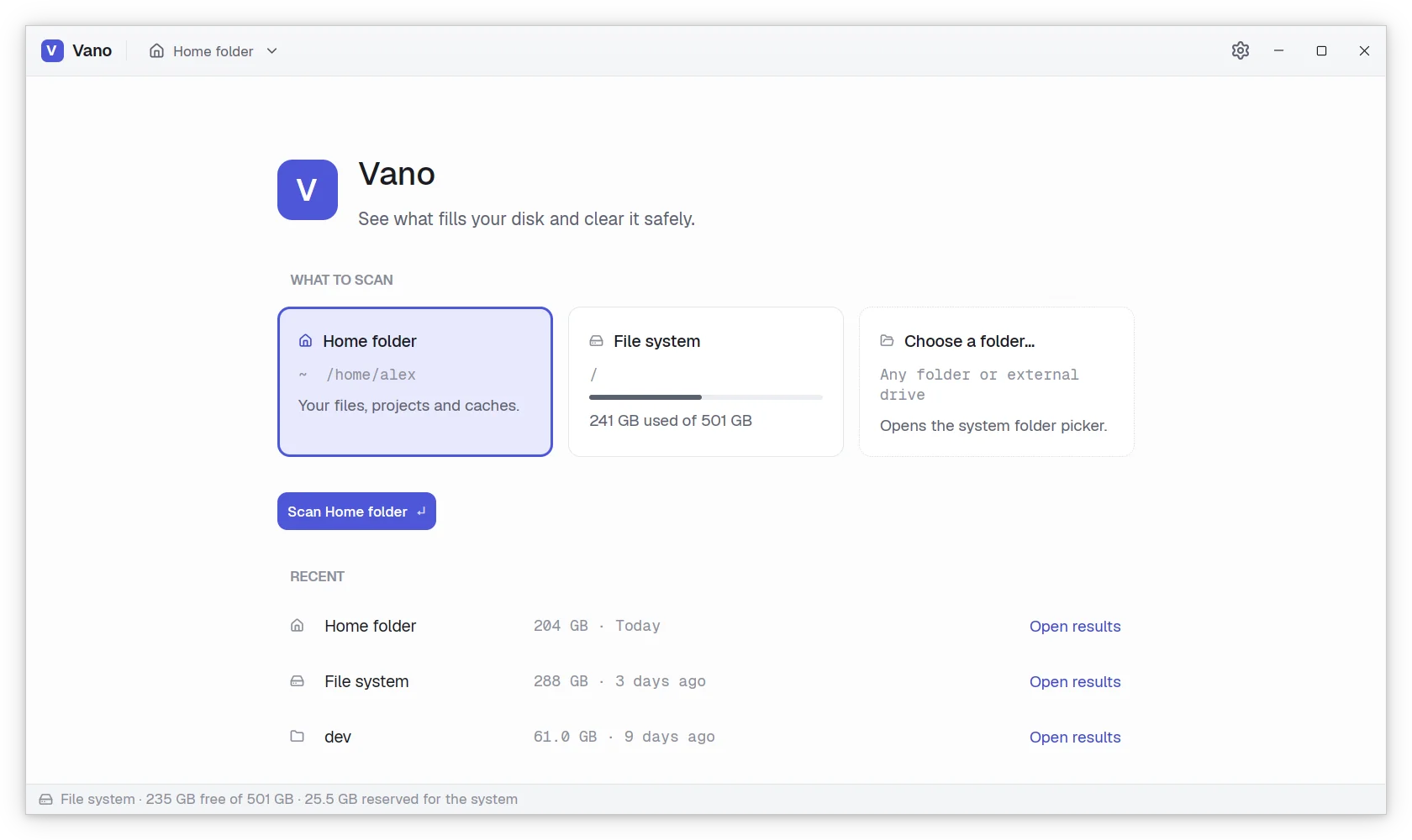
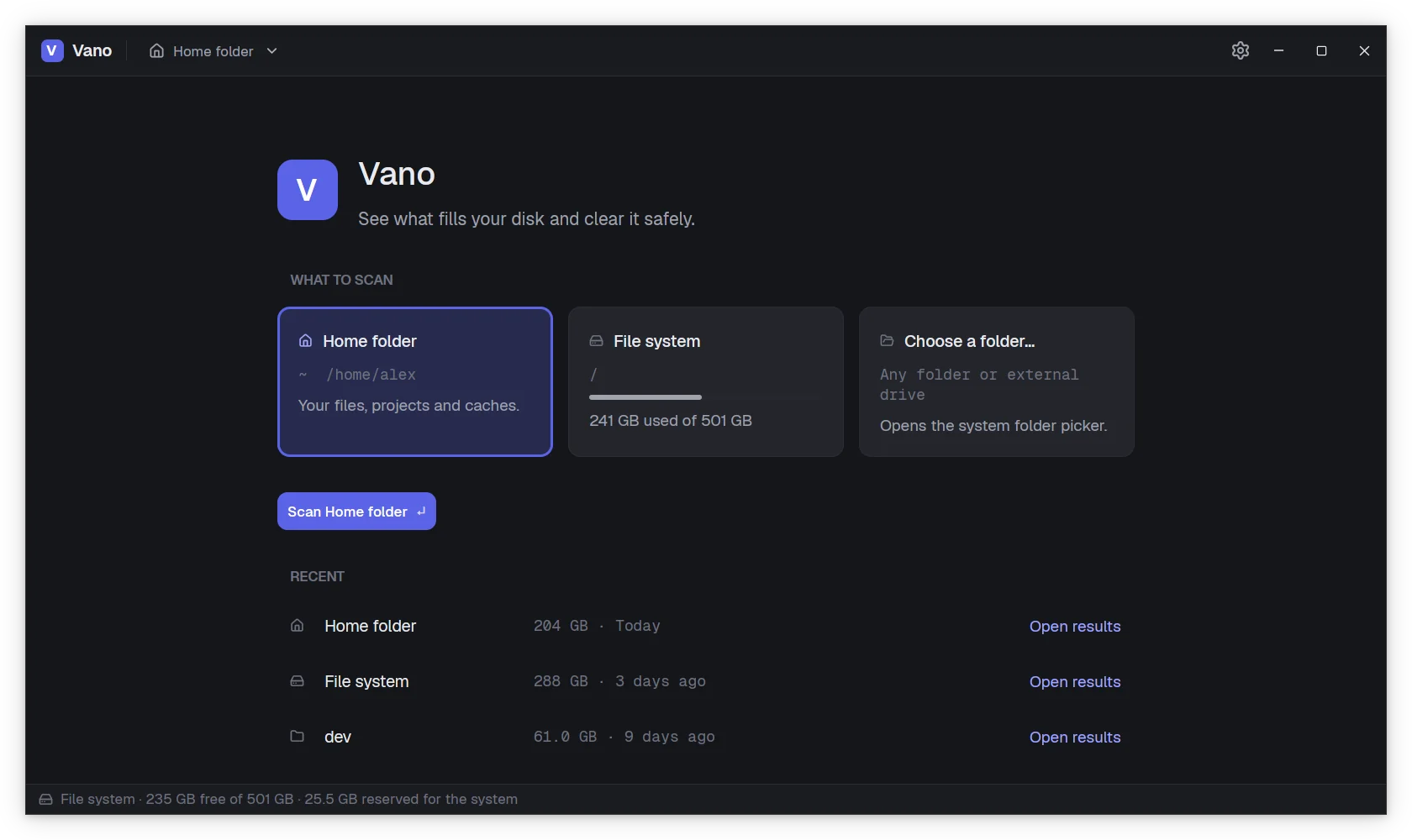
Pick what to scan and go. Recent scans are kept, so their results open again at once, without scanning twice. Other file systems mounted inside are left alone.

The home screen: scan the home folder, the file system or a chosen folder, and the recent scans below. The home screen: scan the home folder, the file system or a chosen folder, and the recent scans below.

Made to feel at home

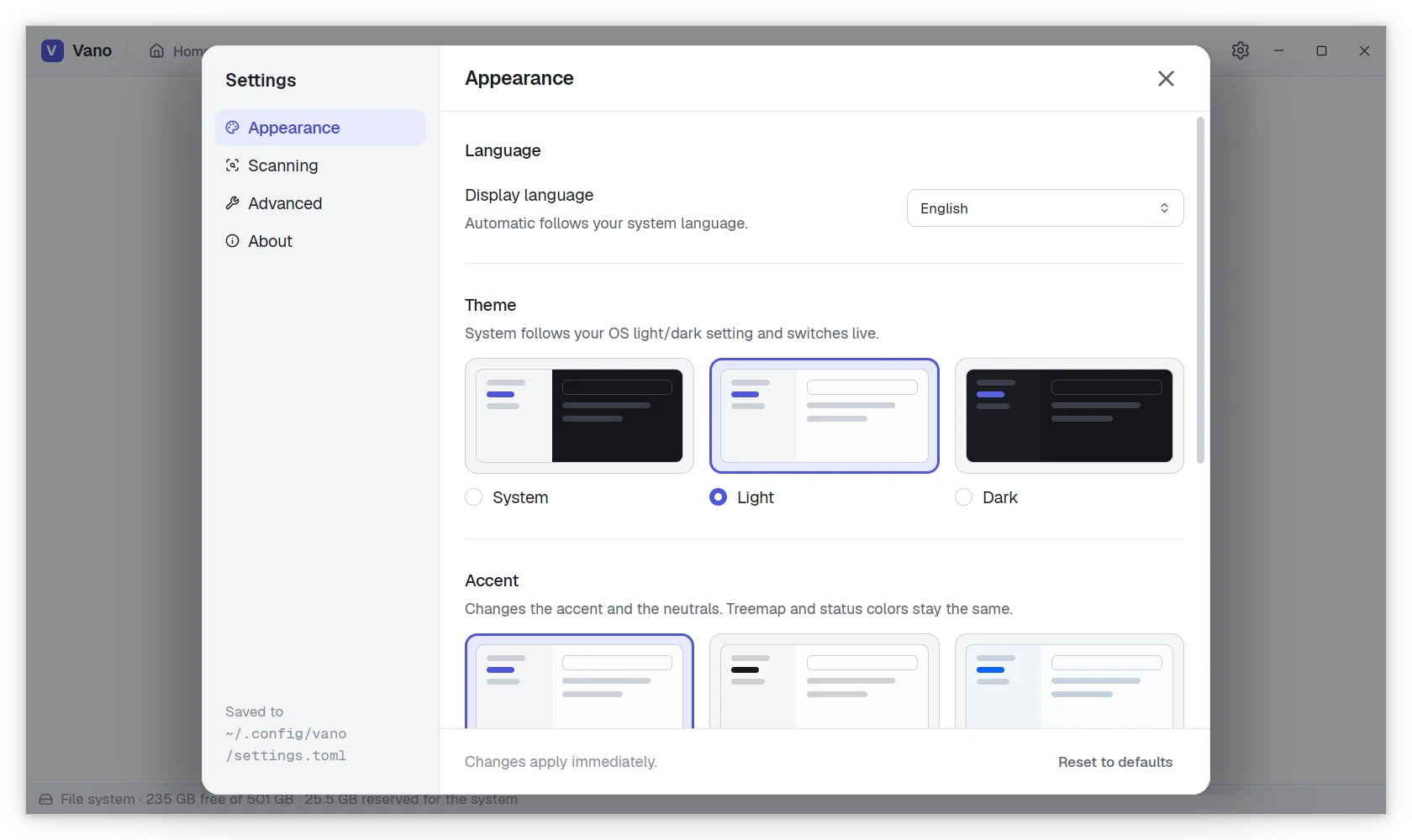
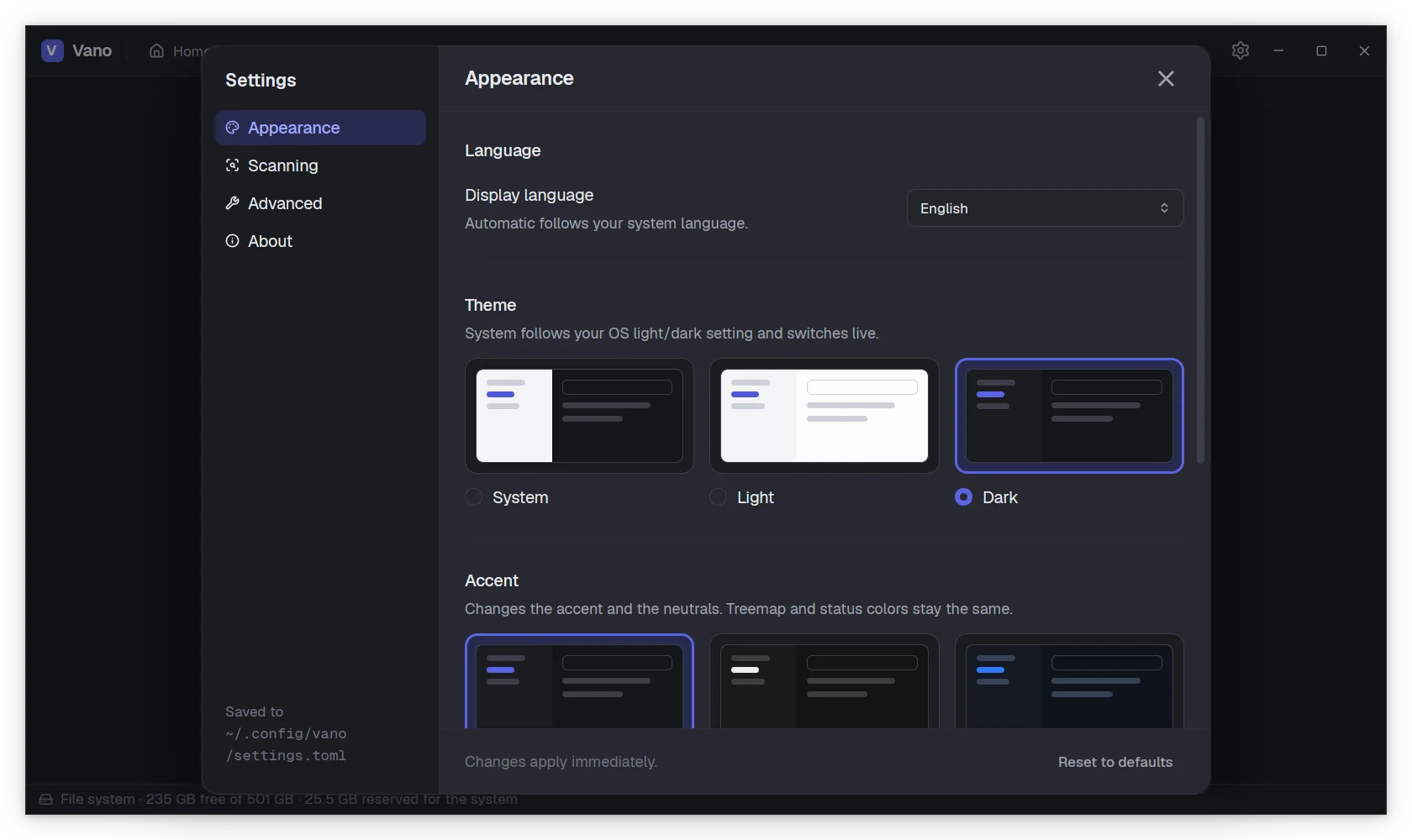
Light and dark themes, or follow your system. Three accents: Indigo, Graphite and Electric blue. Pick the interface fonts and sizes. Vano speaks English, Spanish, Galician and Italian.

The Settings window with the language, theme and accent options. The Settings window with the language, theme and accent options.
Light or dark

Two themes, one design. You choose.

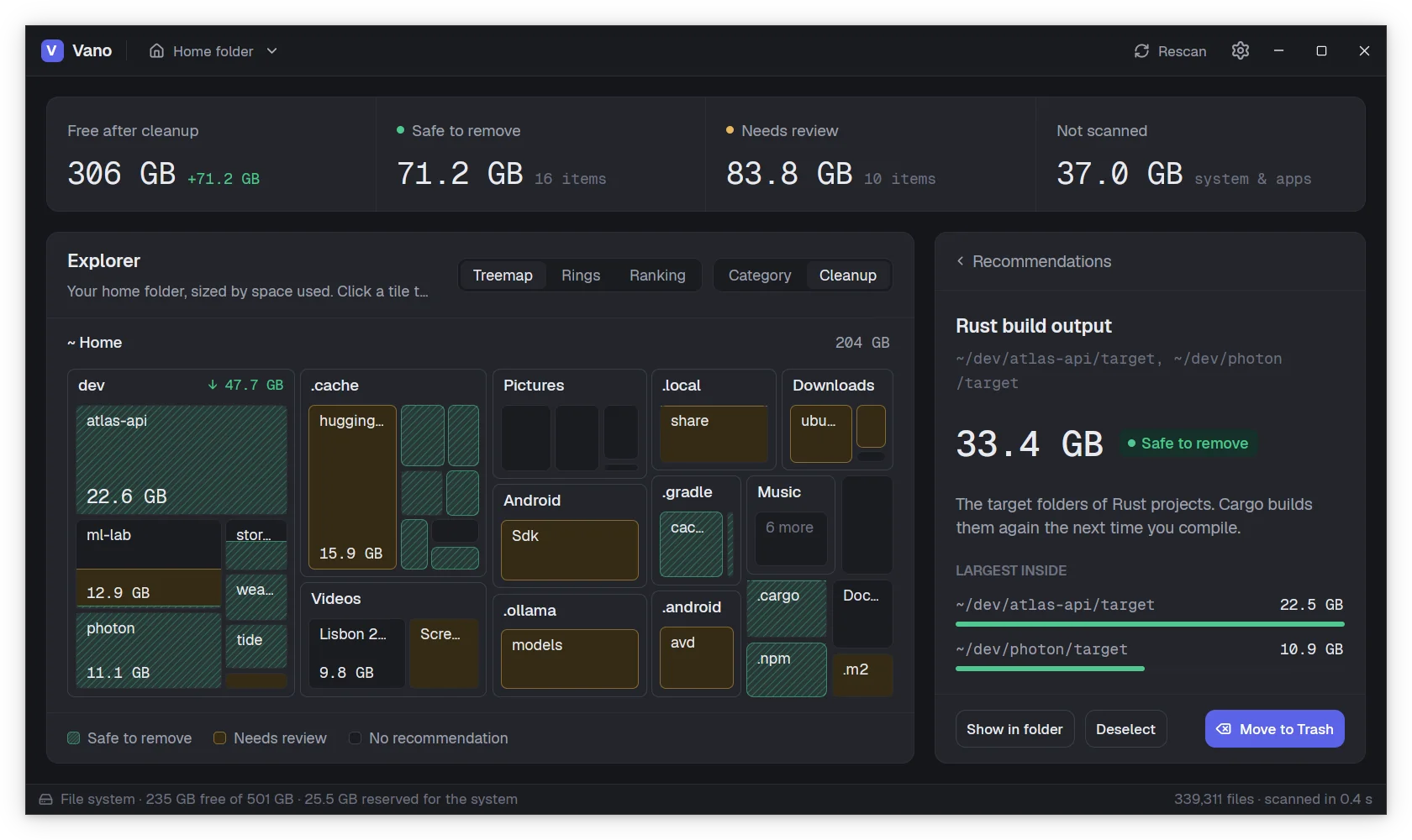
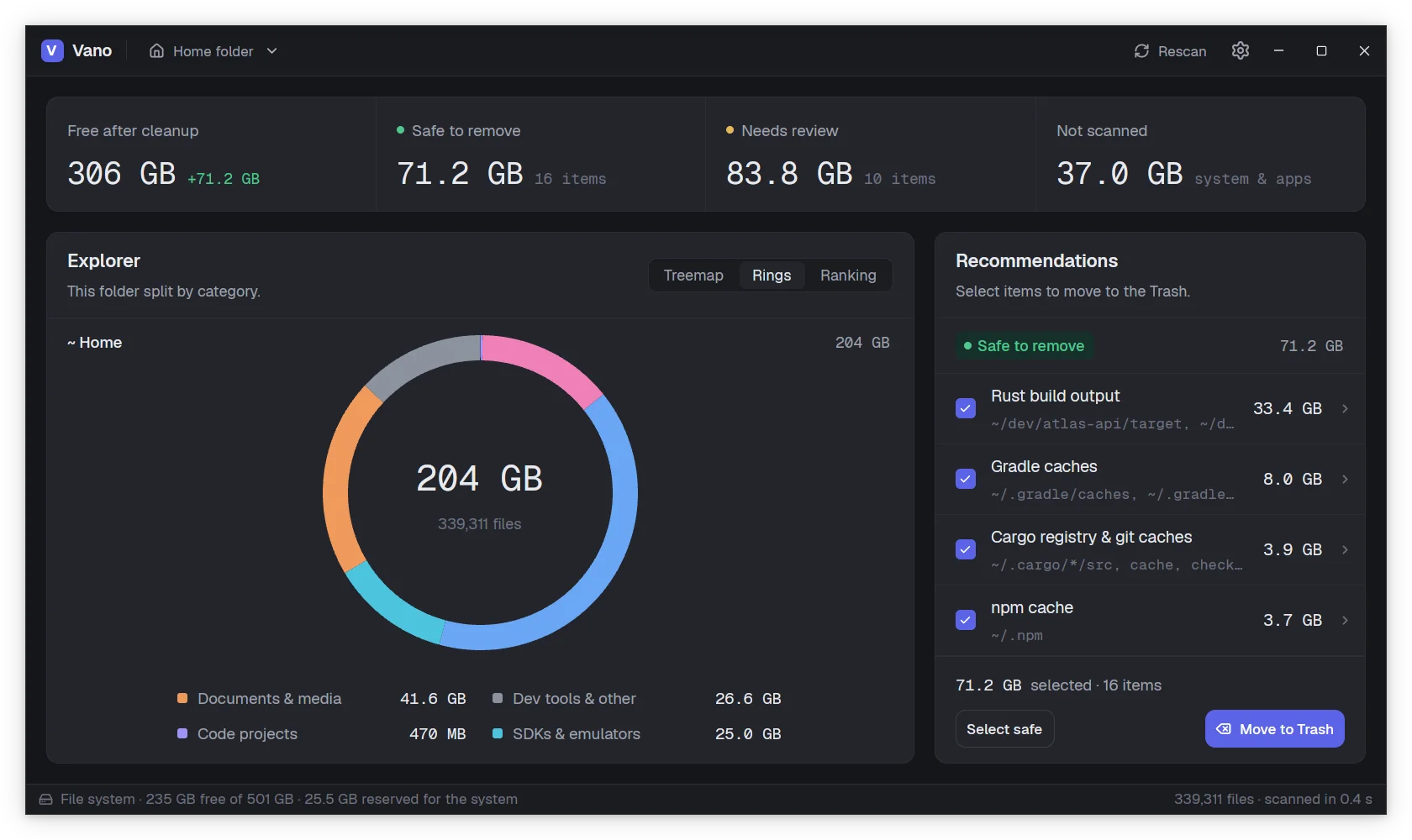
Both themes are built from the same palette, treemap colors included, so neither one feels like an afterthought.

Vano in its light theme. Vano in its dark theme, over the right half of the same window.

Every screenshot on this page comes in both themes. Use the button at the top to switch.

What it finds

The usual suspects, recognized by name

A few of the places Vano checks on every scan.

  • ~/.npm ~/.cargo ~/.gradle

    Package caches

    npm, Yarn, pnpm, Cargo, Gradle, pip, uv, Poetry, Go and Dart. They download it all again when needed.

  • target/ .next/ build/

    Build outputs

    Rust, Maven, Gradle, Flutter and JavaScript builds, Python bytecode and Xcode derived data.

  • node_modules .venv

    Idle dependencies

    node_modules of projects untouched for two months, and Python virtual environments.

  • Cache Code Cache

    Browser and editor caches

    Chrome, Brave, Edge and Firefox caches, JetBrains caches, and the browsers that Playwright and Puppeteer download.

  • Android/Sdk .ollama

    SDKs and AI models

    Android SDKs and emulators, iOS simulators, and models from Ollama, Hugging Face and LM Studio. Marked for review.

  • *.iso *.dmg *.deb

    Old downloads

    Installers and disk images left in Downloads for over a month, big screen recordings, and the Trash itself.

Give Vano a try

Free and open source, for Linux, Windows and macOS. No account needed, just download and scan.